 Tidemark
How to share your availability from iPhone
Skip the “when works for you?” thread. Send your open times, or a link people can book from.
Both are part of Tidemark Pro, which you can try free for 7 days.
Send your open times as text
In Tidemark, open Share Availability, choose a length (say 30 minutes) and how far ahead to look, and send the list of open times in Messages or email.
Share a booking link
- Choose the length, the days ahead, and any breathing room around your other events.
- Share the link. Guests pick a time and, if you like, a place — no app or account needed.
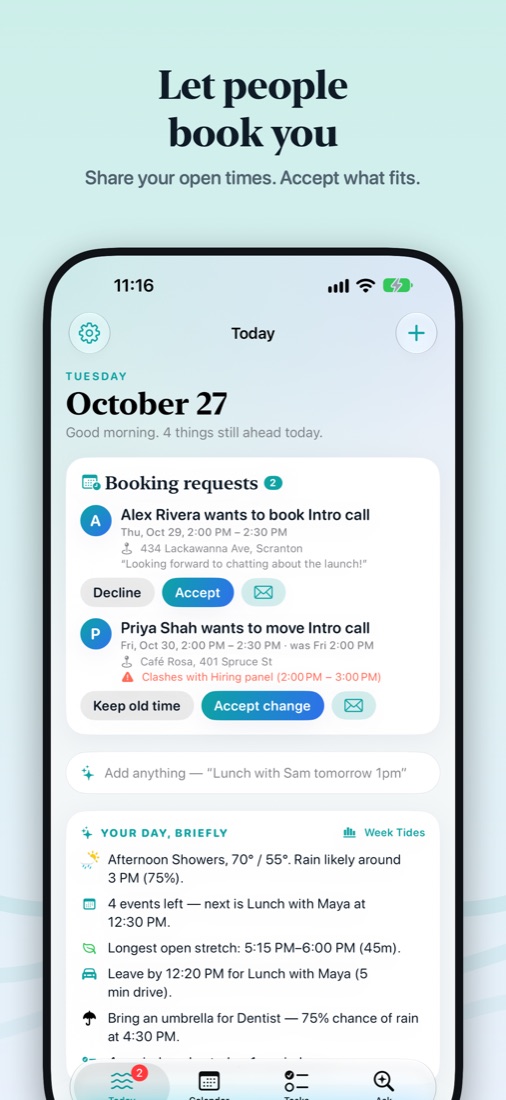
- You get the request in Tidemark and tap Accept or Decline; nothing goes on your calendar until you do, and the guest sees your answer.
End-to-end encrypted. Your open times travel inside the link itself, and requests are sealed so no server can read them. There's no scheduling account to set up.
Get Tidemark free on the App Store
iPhone, iPad, Mac and Apple Watch · Free, with optional Tidemark Pro (7-day free trial)